

This is not investment advice — but if you’ve ever dreamed of building an AI trading bot without coding, this story will show you exactly how to do it.
In this issue:
- We dissect a project by a 17-year-old who built an AI trader that’s outperforming the S&P 500
- We clone his app from GitHub and run it using nothing but Cursor and a bit of magic
- We discover why small-cap companies worth $30-50 million offer more growth potential (and, let’s be honest, more hype-worthy content for the blog ) than buying something like Rosneft
- We circumvent OpenAI’s censorship with Claude Sonnet: turns out the phrase “educational purposes” works wonders
- We adapt the program for your market and prepare to test it with real money
We’re continuing our exploration of AI-powered financial assistants that we began in the previous issue. While last time we focused mainly on ready-made services—with only a brief look at custom AI agents—today we’re merging that concept with the knowledge we gained, when we built a financial app in Cursor using a GitHub template. Building an AI trading bot without coding may sound complex, but with Cursor and GitHub, it’s surprisingly simple.
I’ve combed through an absurd number of financial applications on GitHub, and honestly, besides the app we examined last time, what caught my attention most was another AI-powered application created by a seventeen-year-old.
If you’re interested in similar experiments, check out my article about AI productivity at work.
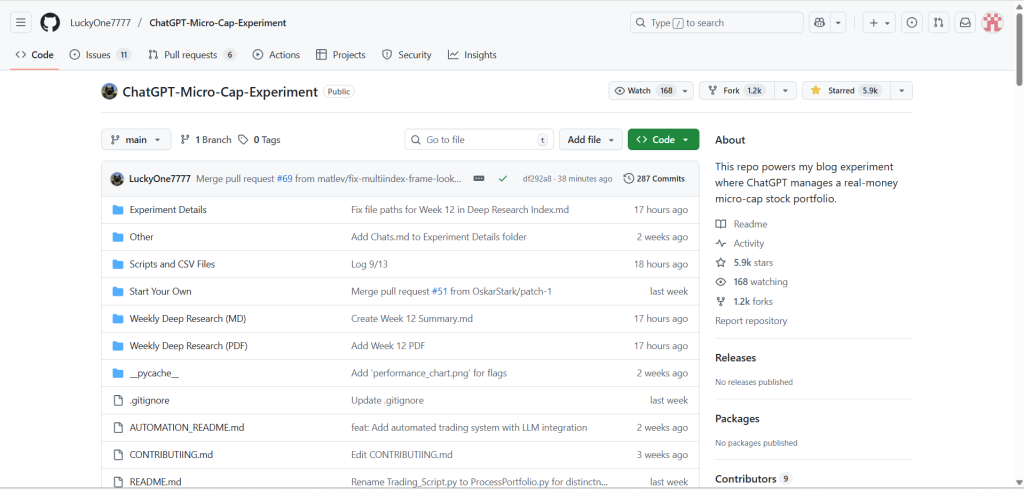
What drew me to his case? He maintains a blog documenting the results his program delivers versus the S&P 500 index performance. The experiment proved that even a 17-year-old could create an AI trading bot without coding that beats the S&P 500.
I’ve lost count of how many times I’ve seen aggressive ads screaming: “Our AI knows the next hot stock—subscribe now!”
It always feels like a scam, so I ignore those messages.
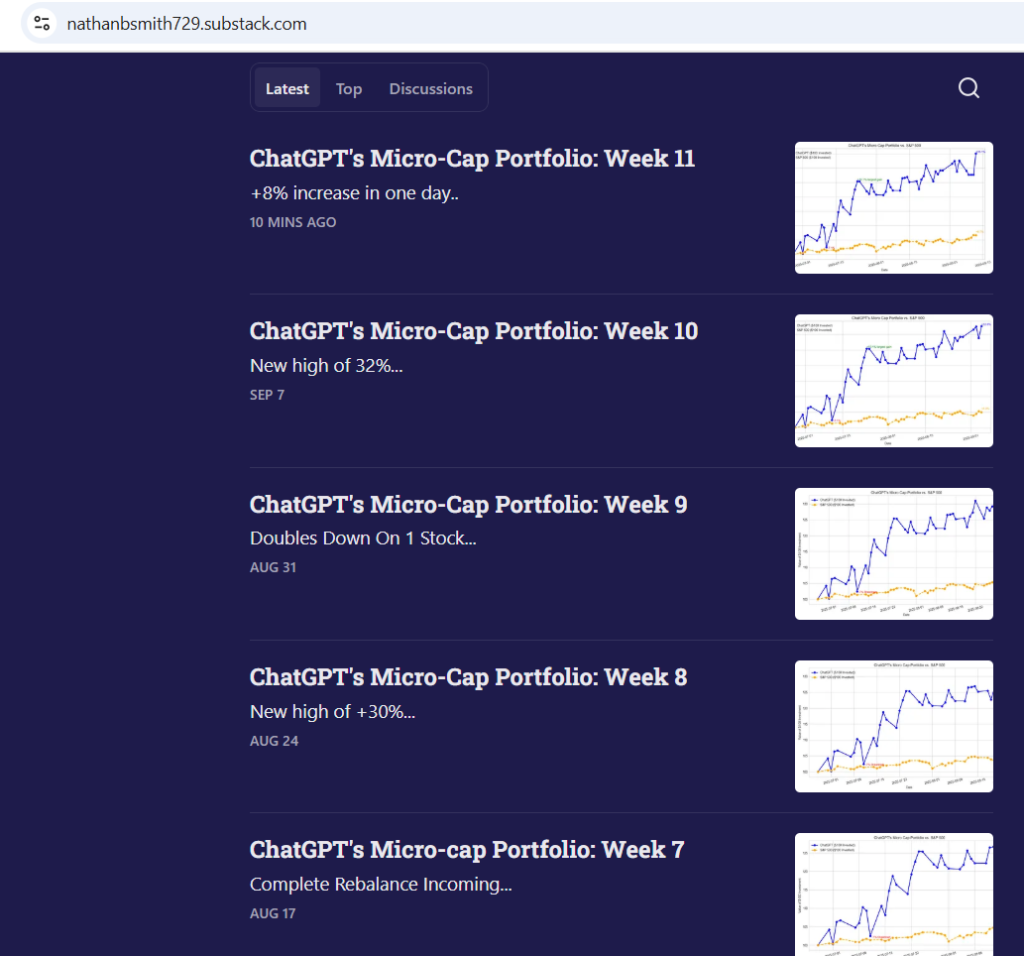
But this program’s creator actually decided to take $100—which his parents apparently approved—and let ChatGPT pick stocks: allocate real money and execute real trades.
Over two months, the AI-assembled portfolio showed these results against the S&P 500 (the stock index tracking the 500 largest U.S. public companies):
- ChatGPT Portfolio: +29.22%
- S&P 500: +4.11%
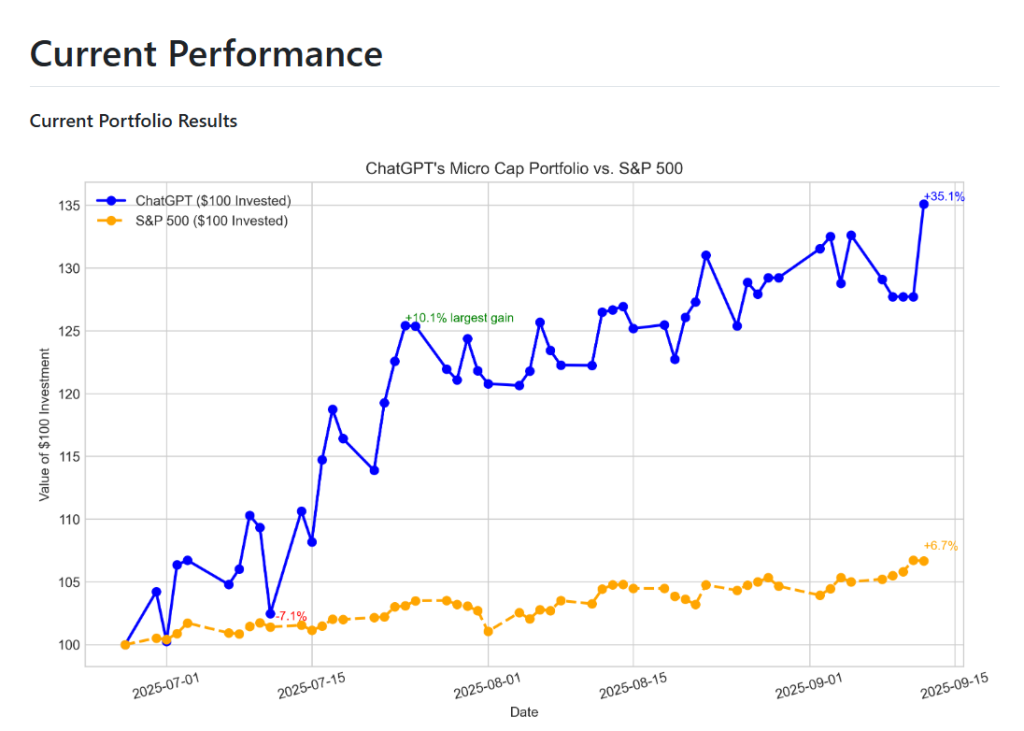
Maybe it’s not the next Warren Buffett, but you certainly can’t call it a failure.
Either way, the results are impressive, and this case seemed simple and intriguing enough to replicate.
Here’s how the application works: the system pulls current S&P 500 data, analyzes the market, and focuses on small companies valued around $30-50 million, because that’s where you have a higher chance of capturing significant gains due to high volatility—though the risk with such companies is maximal.
At least, that’s the investment strategy of this young developer.
Here’s how Claude inside Cursor explained the logic when I pressed him on it:
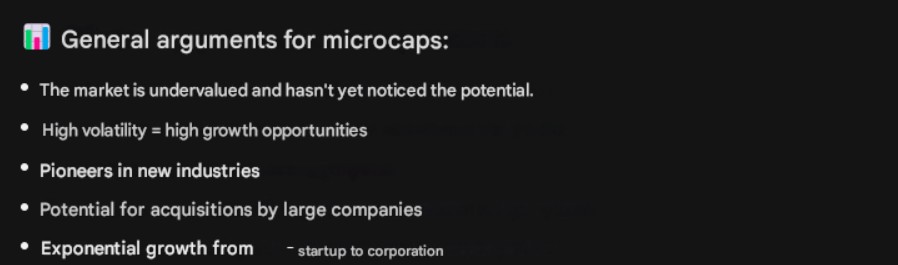
I think for a blog this makes for a compelling story, because if you buy, say, Rosneft—you’re not going to see any spectacular crashes or surges. For preserving capital, maybe it’s a decent move, but for a blog it might not be particularly captivating.
That said, it all depends on your investment strategy—there’s no universal advice here. If you want to preserve capital, you’ll need to adjust the prompt in the program. I’ll show you how to do that as well.
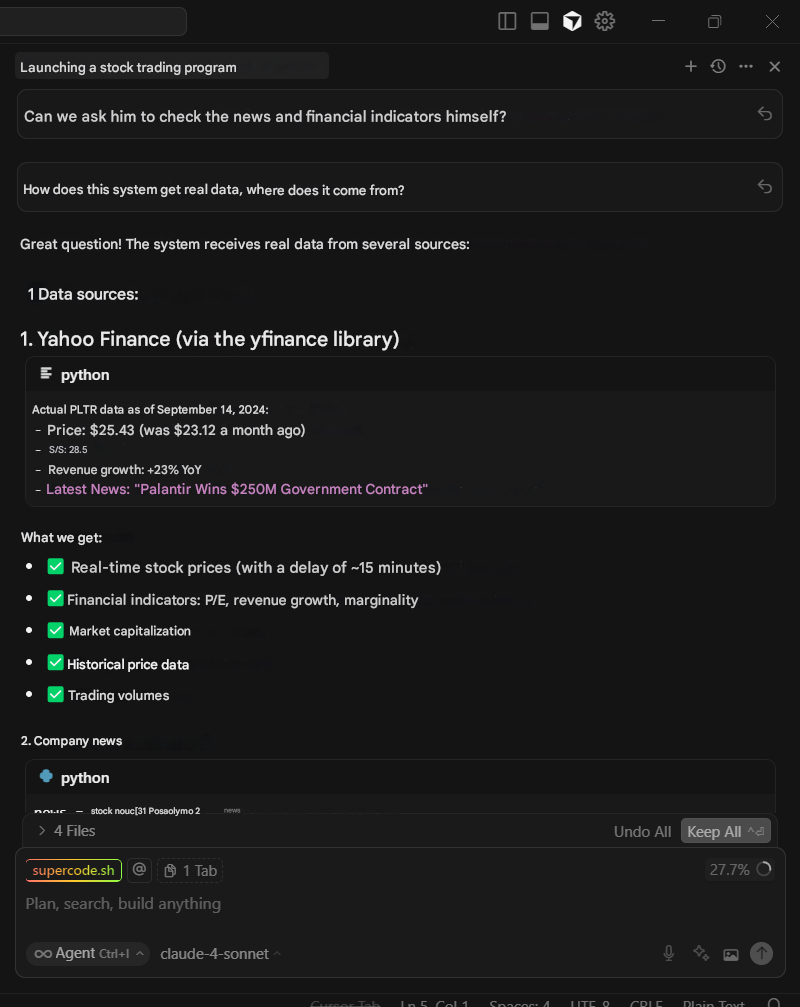
For analysis, the system also pulls recent company news and cross-references data through Yahoo Finance:
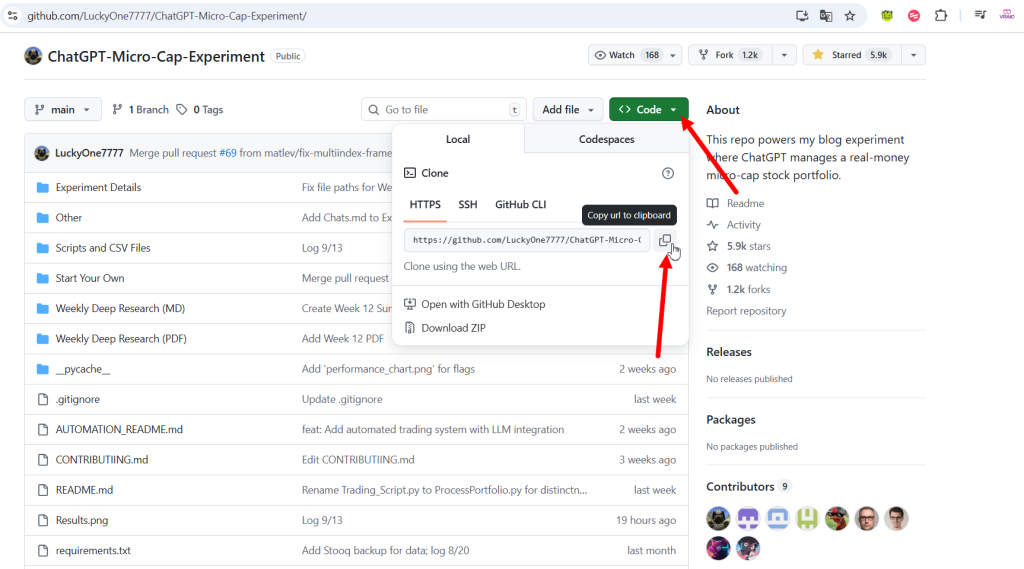
So, we navigate to the GitHub repository for this program.
Click the Code button and copy the repository.
Head to Cursor, which we’ve already downloaded and installed on our computer, select the “Clone Repo” button, and paste the link we just copied. The system will then prompt us to choose a specific folder where we want to install the program.
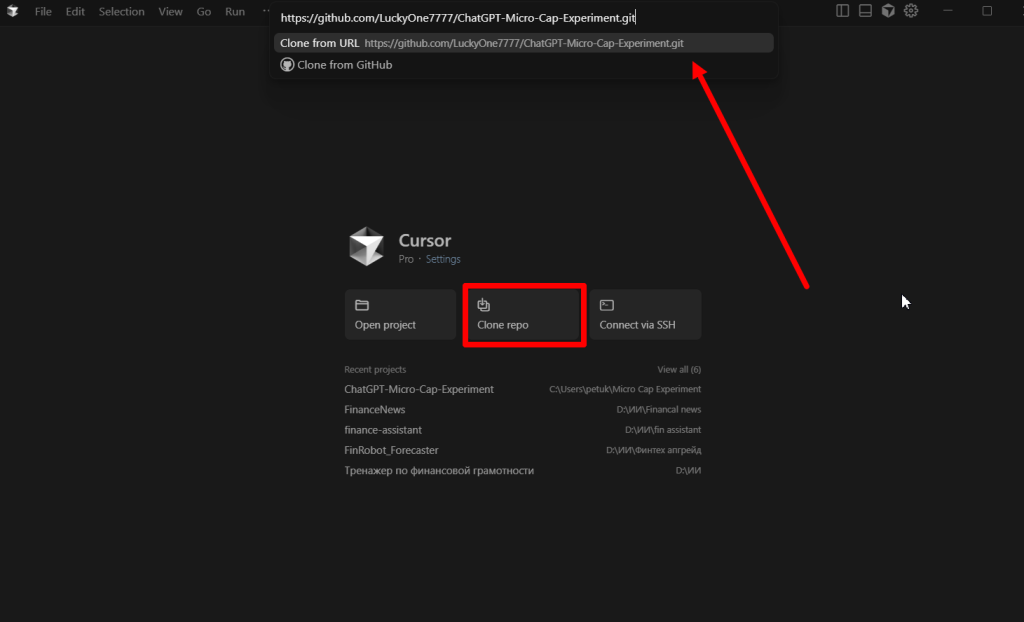
Important! You’ll also need to download Python if you haven’t already, and install Git to use this functionality.
After that, you’ll see the project files on the left, a terminal in the middle where you’ll issue commands, and on the right, a chat window with your AI agent, with whom you can communicate and ask to run the program or help fix something.
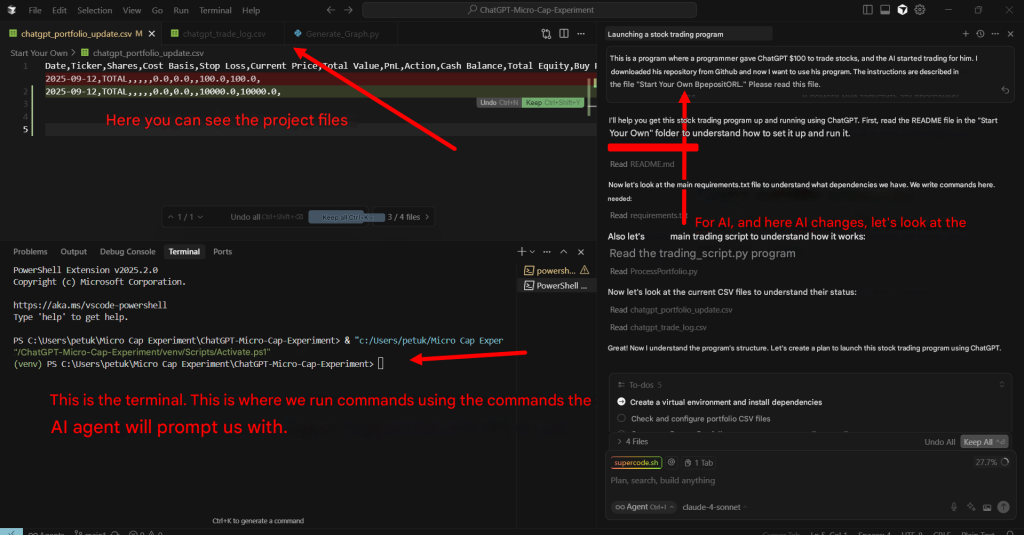
And voilà! We launch the program—you can even ask Cursor to do it directly.
Cursor will automatically install dependencies, meaning it’ll add the necessary libraries or modules to the project so the program can function as intended, and then guide you on how to run it.
From there, you can make any changes to the program by simply telling the Cursor agent what needs adjusting.
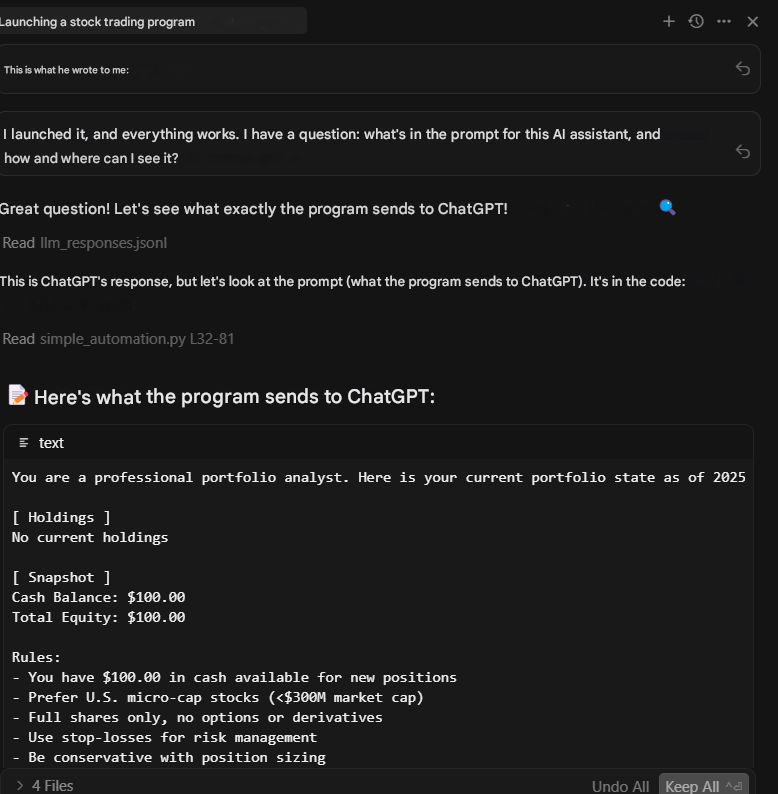
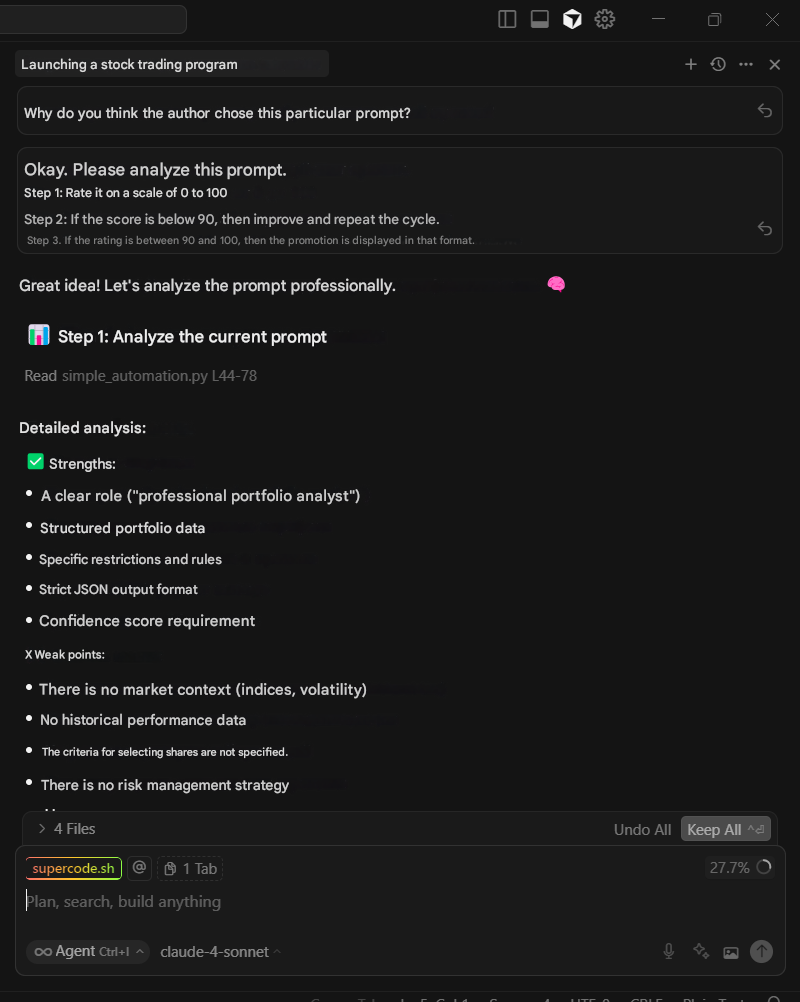
From there, you can make any changes to the program by simply telling the Cursor agent what needs adjusting.
For instance, I asked it to examine the prompt in the program and rate it on a scale from 1 to 100. Neither Cursor nor I were particularly impressed, so we revised it.
Additionally, I felt the program’s creator was too conservative, whereas I prefer riskier investments—in tech, biotech, gaming. So I asked Cursor to modify the program accordingly, which it did.
Then, after we fixed the prompt, we discovered that OpenAI started blocking requests because investment-related queries are prohibited.
So I asked Cursor, which has Claude Sonnet integrated, to figure out how to trick OpenAI so its censorship would let these requests through. It cheerfully suggested framing everything for educational purposes—positioning the queries as if we were using them purely for academic research and writing a dissertation on the topic. Amusing, but it worked, and OpenAI started letting the requests through.
You can also customize this program for your own needs by connecting the Moscow Exchange API, or linking APIs from financial services. And the most remarkable part is that you can do all of this simply by instructing Cursor to execute one task or another.
For example, I asked it to adapt the program for the Russian market.
That’s the AI trader I ended up with. Now I can test its performance and see if it’s really as good as the blog author claims.
In any case, I’m planning to open a trading account for foreign markets and see what comes of it.
If you’ve ever wanted to try algorithmic trading, now’s the time to build your own AI trading bot without coding — just for learning purposes.
Experiment!
With love,
Anna Rayskaya